The tech
behind 
Our event series. Developed together by Rainer Heitzmann and Johannes Zitzelsberger.
Take a closer look
469Hz / Event series · SEKTØR / Venue
From ticket
to check-in.
QR scanning right in the web app. Behind it: a protected server, a shared ticket status and clear feedback for the entry team.
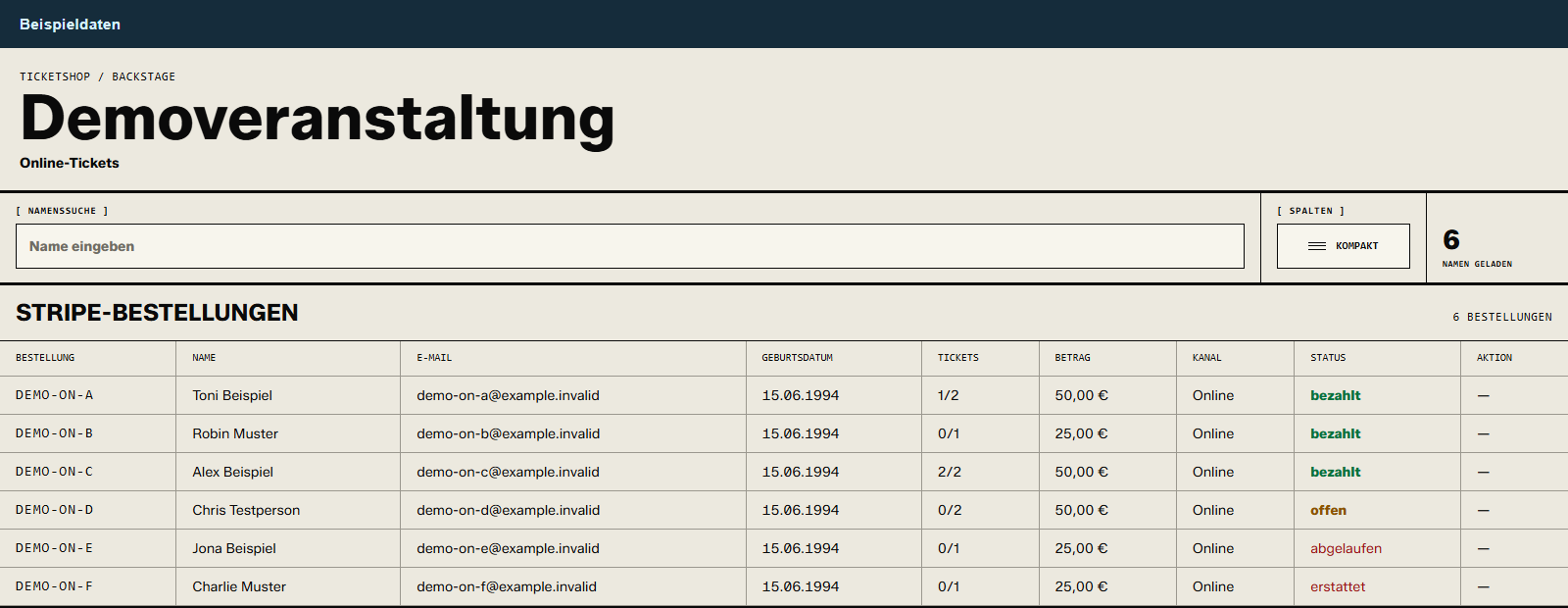
Payment status, number of tickets and tickets already used.
Open full sizeWhat the backend handles
- Bring together orders with their payment status and associated tickets.
- Find orders by searching for names.
- See online tickets that have already been redeemed at a glance in the compact view.
Entry team / Smartphone
DEMO-CODESchematic web app. This illustration does not activate a camera.
Ticket codeHTTPS · JSONCheck resultTo the same web appServer side / not on the phone
POST /api/checkinCheck team login.
Validate input.
QueryingNot checked yetRedemption and check event are processed on the server.
Step 1 of 4
The camera is part of the web app.
The entry team opens the scanner in the smartphone browser and allows camera access. The web app reads the QR code from the guest’s ticket – on their screen or on paper. Alternatively, the short code can be entered manually.
QR detection: ZXing in the browser · prefers the rear camera · no separate app download
Step by step at your own pace – or as a sequence.
Technical insight: what happens behind the scan
Client & interface
React / Next.js with ZXing for QR detection. The browser decodes the camera image locally and sends the code as JSON. The scanner page and API require a valid team session.
Tokens instead of personal data
The QR code contains a random ticket token, not a name or email address. The server matches its hash against the ticket record. The readable short code is a second way to enter it.
Preventing double redemption
In PostgreSQL, the switch to “redeemed” only happens while the ticket is still valid. The conditional change and the check event share one transaction – not just a local counter on the smartphone.
Handling errors deliberately
No offline queue and no automatic approval on connection errors. Server responses are not cached. After a successful camera scan, scanning pauses; without camera access, manual code entry remains available.
This shows the online ticket check-in. All states shown are local examples; no tickets are checked or changed.
From model
to space.
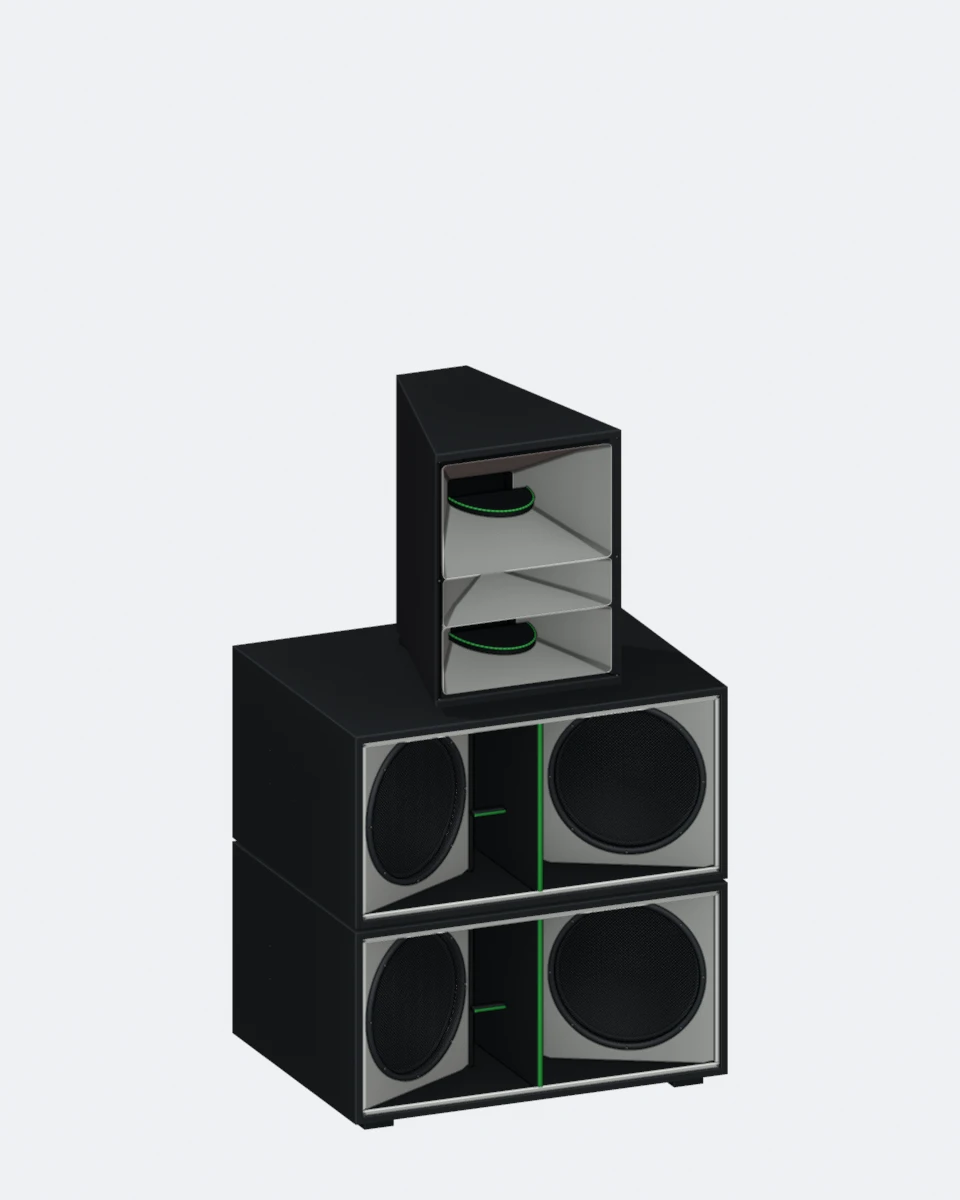 2 bass cabinets
1 top cabinet
Replica based on outer dimensions and photo reference
The real sound system is from Pro Sound & Light (PSL). The model shown was rebuilt from published outer dimensions and photo references for the room visualization. It shows proportions and appearance, not the technical interior design.
No manufacturer CAD, no acoustic simulation and no construction or rigging plan. The separated cabinets and their spacing are for illustration only.
Four cameras. The same scene.
Earlier concept · Aug 7, 2026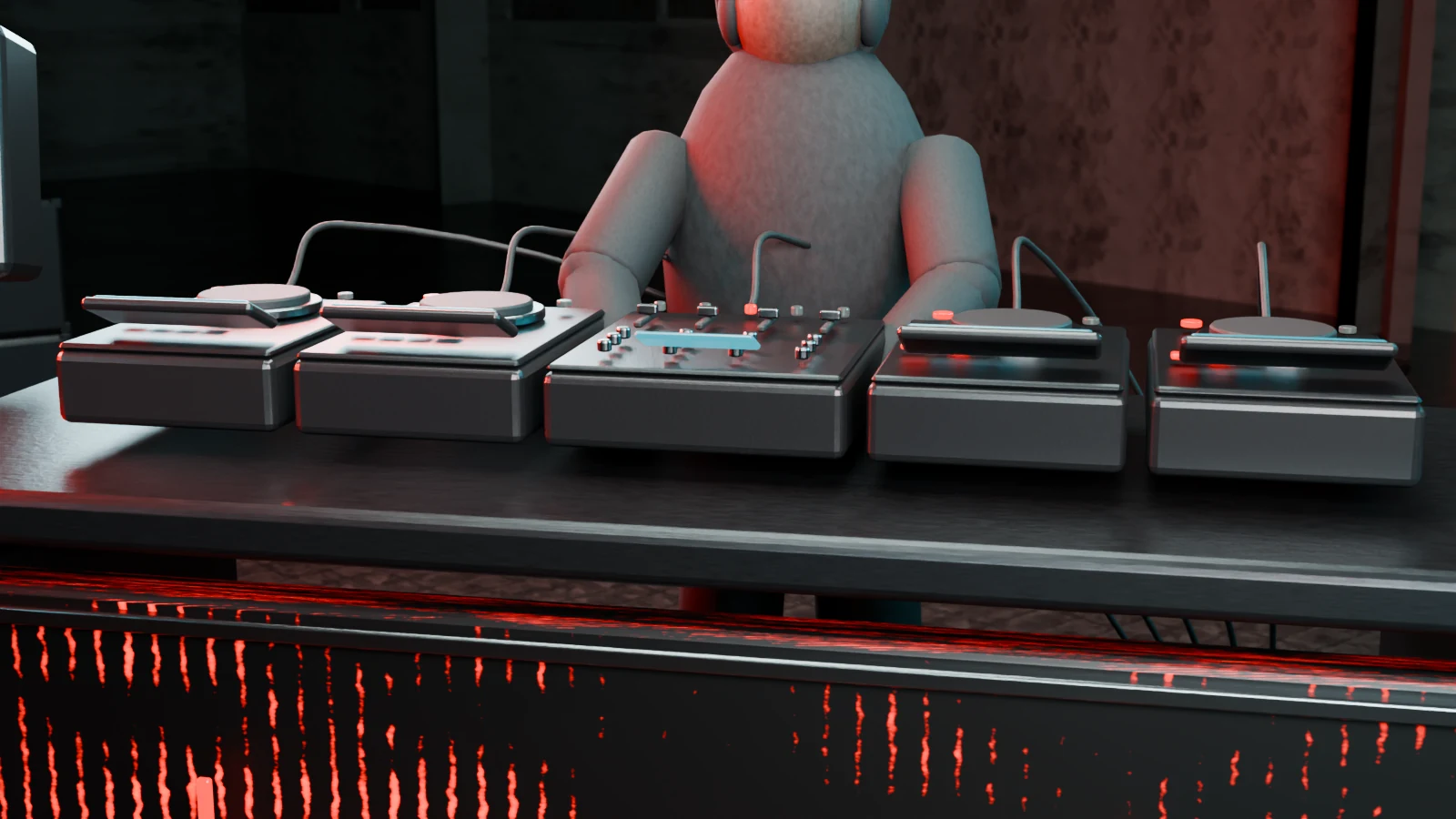
Details that work up close.
Equipment shapes, cabling and surfaces are built as geometry and materials. The close-up camera shows whether these details still work beyond a distant overall view.
Geometry · material roughness · light reflectionsThe DJ devices are visual form models – not product CAD and not a confirmed equipment list.
Open viewFrom outline to three-dimensional object.
Draft as of Sep 4, 2026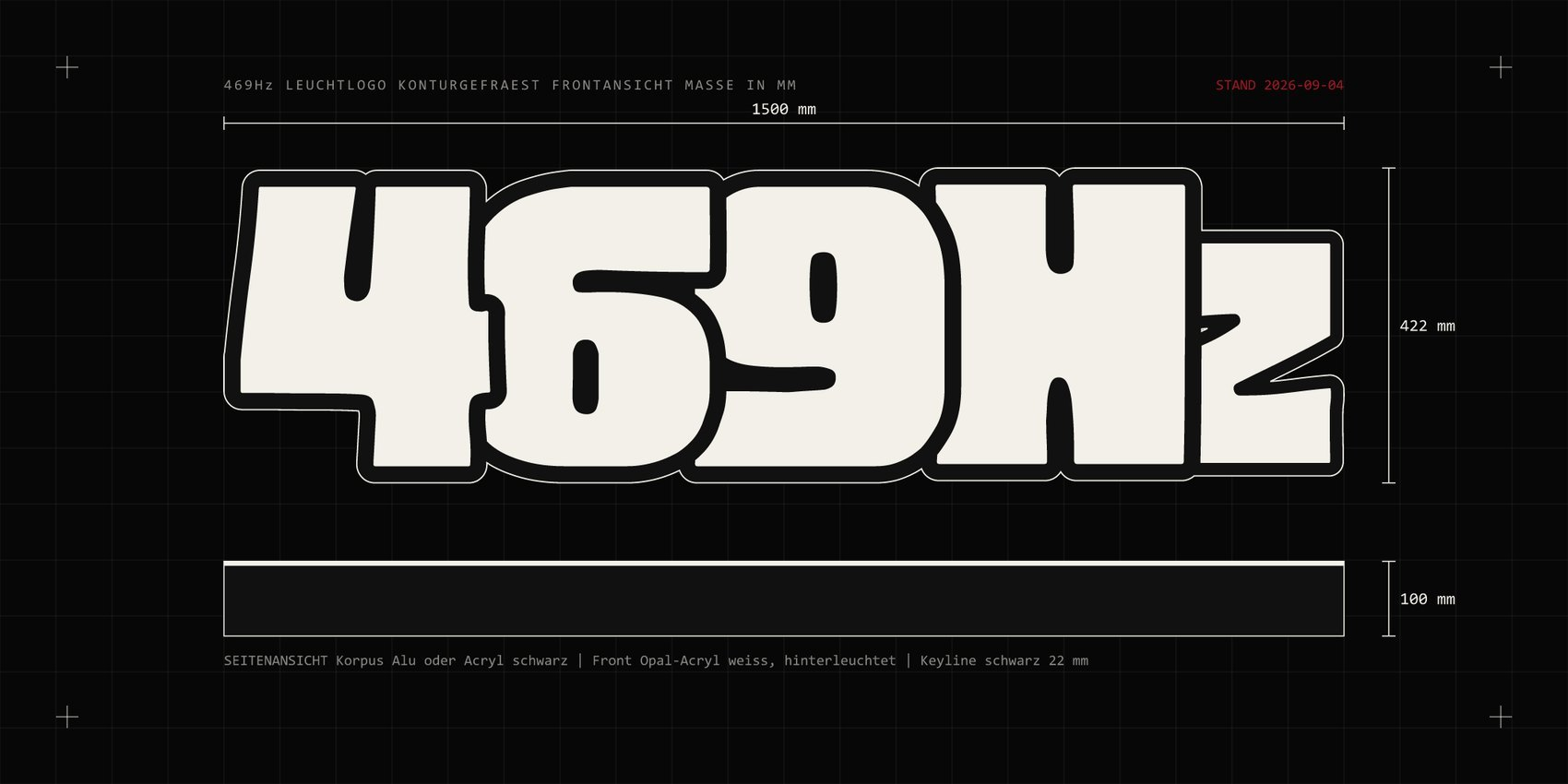
Views, outer dimensions, proportions.
The front view describes the outline, the side view the planned depth. Shared reference dimensions make the idea easy to discuss before the material build-up and fabrication are worked out.
1,500 × 422 × 100 mm · planned outer dimensionsOriginal graphic from the project presentation. Not proof of a built illuminated logo and not a verified fabrication or electrical plan. This 1,500 mm study is not the separate 300 mm model in the page header.
Open dimension drawingCapture the space.
Take it further digitally.
- Capture
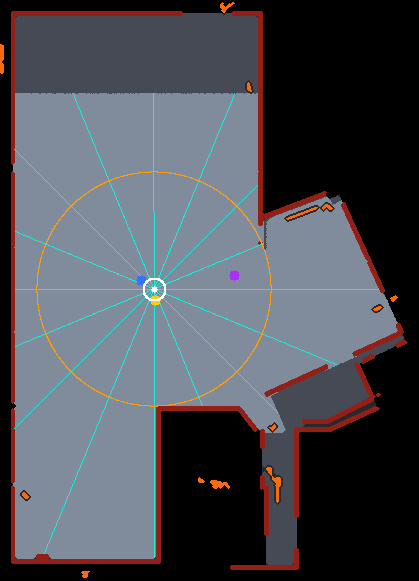
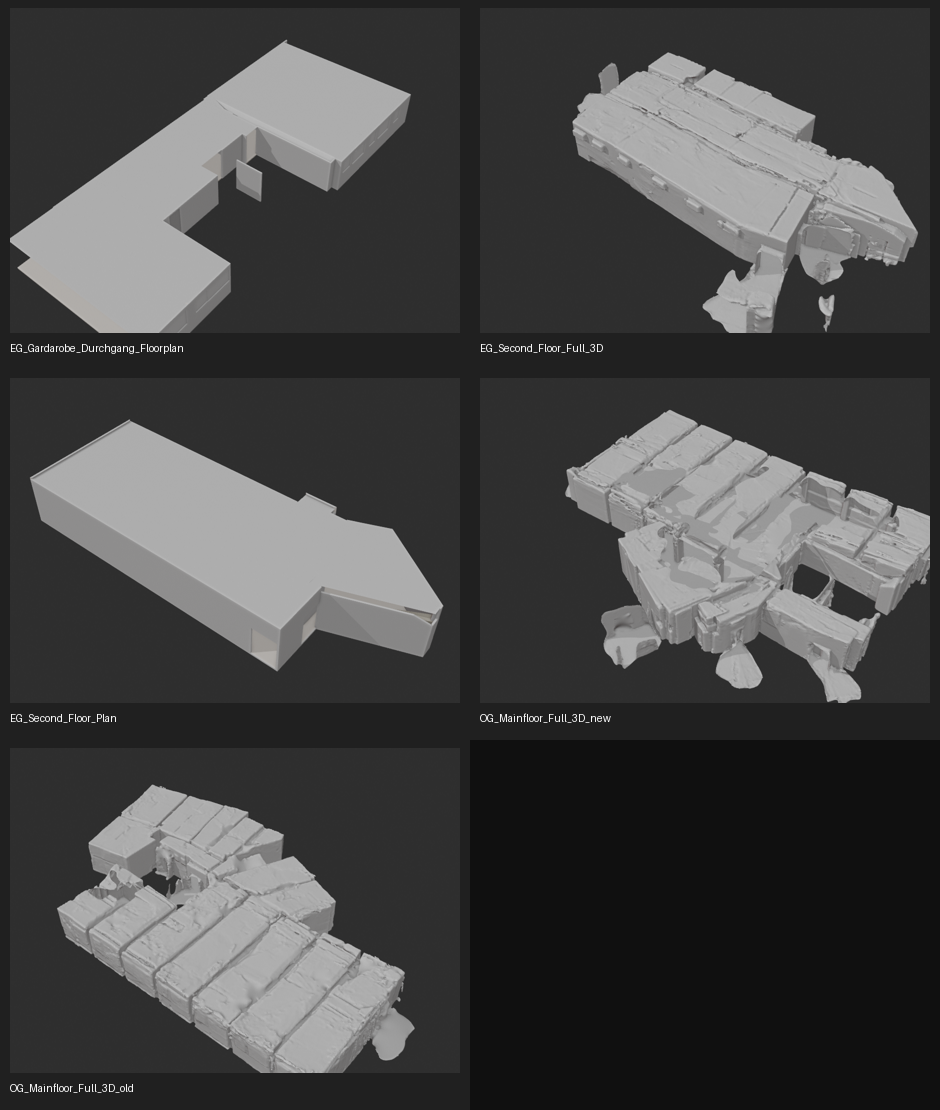
Record the geometry and surfaces of the existing space as a starting point.
- Prepare
Check the raw data, optimize textures for the browser and keep gaps in the capture visible.
- Develop
Discuss variants on a separate model base without overwriting the source data.
Venue SEKTØR II / Mainfloor
The venue as it was captured. With its surfaces and the traces of the scan.
Floor plan & raw geometry